Agreements & E-Signing#
Agreements let you draft a contract, place signature and data fields on it, send it to one or more signers, and collect legally-binding e-signatures—then receive a flattened, signed PDF with a certificate of completion and a full audit trail.
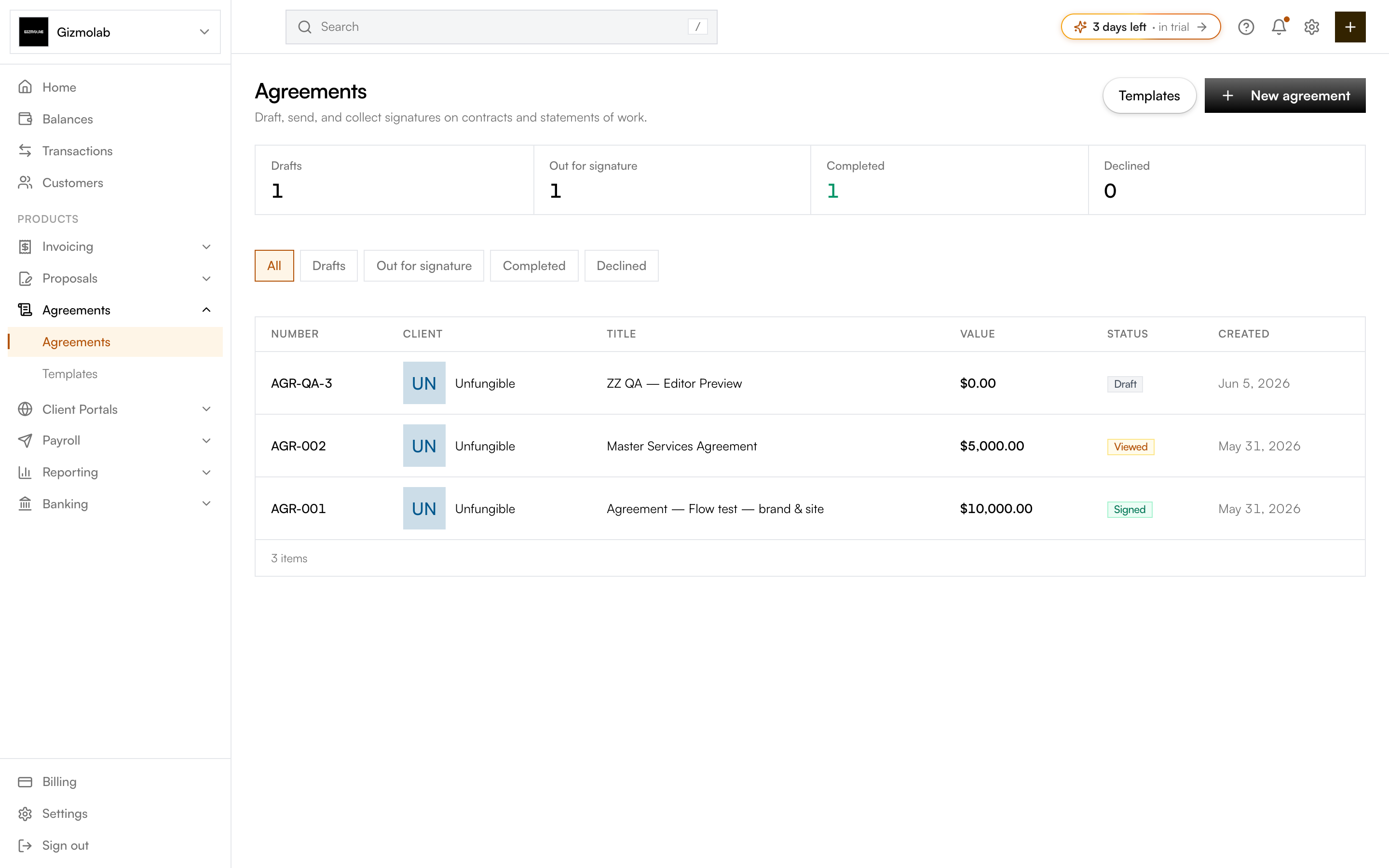
- 1Start a new agreement
- 2Manage reusable templates
- 3Status counts at a glance
- 4Filter by status
- 5Signing status per agreement
The lifecycle#
An agreement moves through a clear set of stages:
Start an agreement with a client, a title, and optionally a template. It begins as a draft you can keep editing.
In the editor, upload a PDF (or generate one from the agreement text), add your signers, and drag signature and data fields onto the document.
Send the agreement to your signers. Its status becomes out for signature while you wait for them to act.
Each signer opens a secure link and completes their fields in a guided signing ceremony.
Once everyone has signed, the agreement is completed: a flattened signed PDF and a certificate of completion are generated, and a copy is emailed to the signers.
The Agreements area#
The list page gives you an overview of everything in flight:
- Status tiles — Counts for Drafts, Out for signature, Completed, and Declined, with an "expiring soon" note when signatures are due within seven days.
- Filters — Switch between All, Drafts, Out for signature, Completed, and Declined.
- Table — Each row shows the agreement number, client, title, deal value, signing status, and creation date. Click a row to open its detail page.
Key concepts#
- Signer (party) — A person who needs to act on the document. Each party has a role, name, email, and color, and can require extra verification to open the agreement.
- Field — A box placed on the document that a signer fills—Signature, Initials, Date, Text, Checkbox, and more.
- Template — A reusable agreement body with pre-placed fields and signer roles you can apply when creating a new agreement.
- Certificate of completion — A record generated when everyone signs, capturing who signed, when, and from where.
Note
The field-based signing flow is the single, always-on way to sign agreements—every agreement is prepared with fields before it goes out.
Ready to begin? Create your first agreement.