Client Portals Overview#
A client portal is a private, branded page where one of your contacts can see everything you share with them — invoices, proposals, agreements, and files — in a single place. Each portal is unique to a contact and is opened with a secure, token-based link, so clients don’t need a Hanko account.
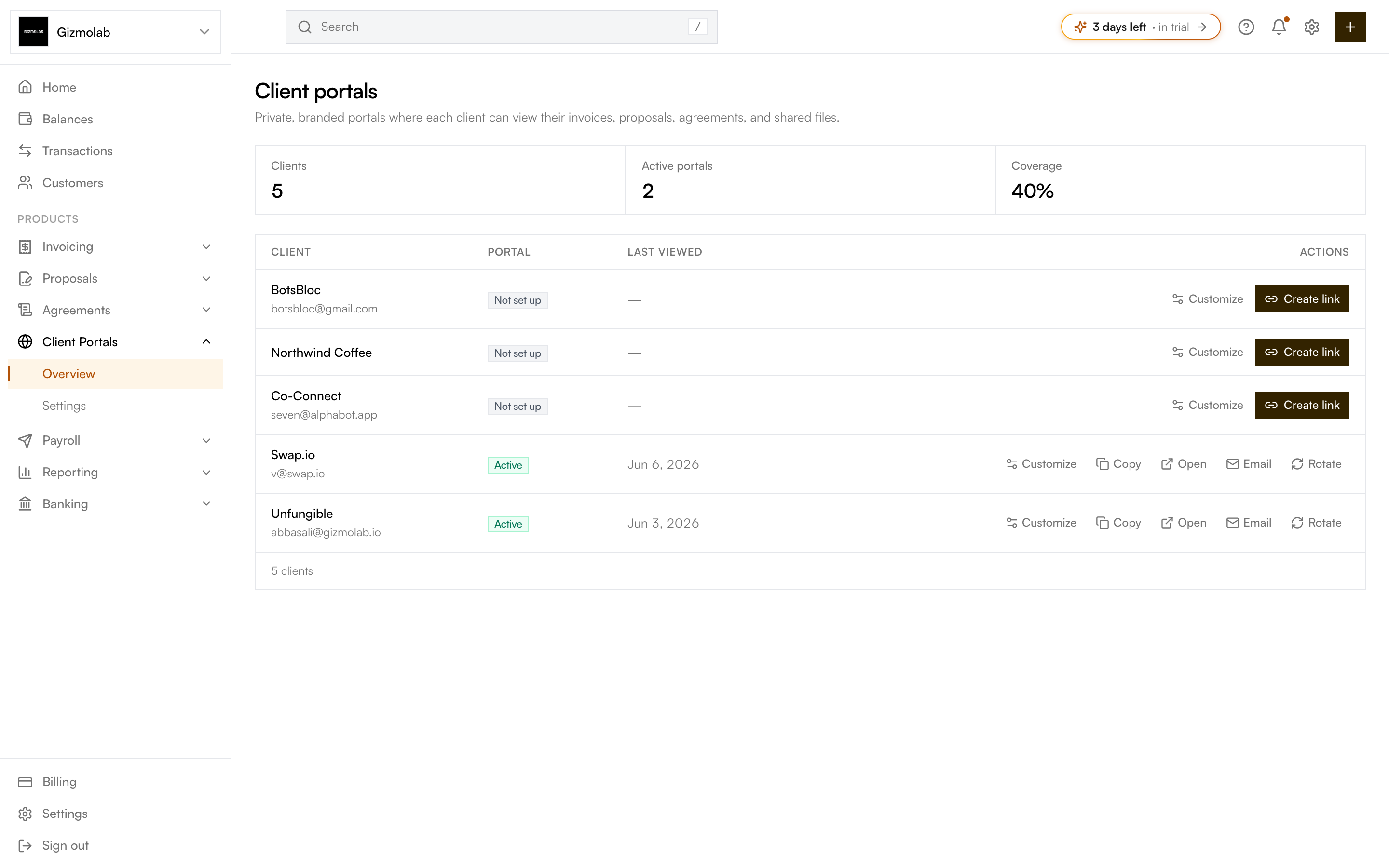
- 1Clients active portals and coverage
- 2Portal status for each client
- 3Create the secure portal link
- 4Open the per client editor
- 5Open the live portal
The portals list#
Open Client Portals → Overview in the sidebar. The list shows one row per contact, with:
- Client — Company or contact name and email. Click the name to open the portal editor.
- Portal — Active once a link has been created, or Not set up otherwise.
- Last viewed — When the client last opened their portal.
The tiles at the top summarize your Clients, Active portals, and the Coverage percentage (the share of clients that have an active portal).
Creating and sharing a portal#
For a client that isn’t set up yet, click Create link to generate a secure portal URL. Once a portal is active you can:
- Customize — Open the editor to set what the client sees and configure welcome text, files, and more. See Customizing a portal.
- Copy — Copy the portal link to your clipboard.
- Open — Open the live portal in a new tab.
- Email — Send the portal invite by email (the contact must have an email on file).
- Rotate — Generate a new link and invalidate the current one. Use this if a link was shared with the wrong person.
Warning
Rotating a link permanently breaks the old one. Anyone using the previous URL will need the new link.
What the client sees#
When a client opens their link they see only their own records. Which sections appear is controlled per portal under Visible features — Files, Invoices, Payments, Agreements, Proposals, Requests, and Activity — plus optional sections like a welcome message, a meeting link, onboarding steps, and an intake form. From the portal a client can review and pay invoices, accept proposals, and sign agreements.
Note
Clients never need a Hanko login. The portal link is the credential — keep it private, and rotate it if it leaks.