Bank accounts#
Banking → Bank accounts is one screen for everything related to receiving and withdrawing money: your own bank accounts, an optional virtual US/EUR account, and your off-ramp destinations.
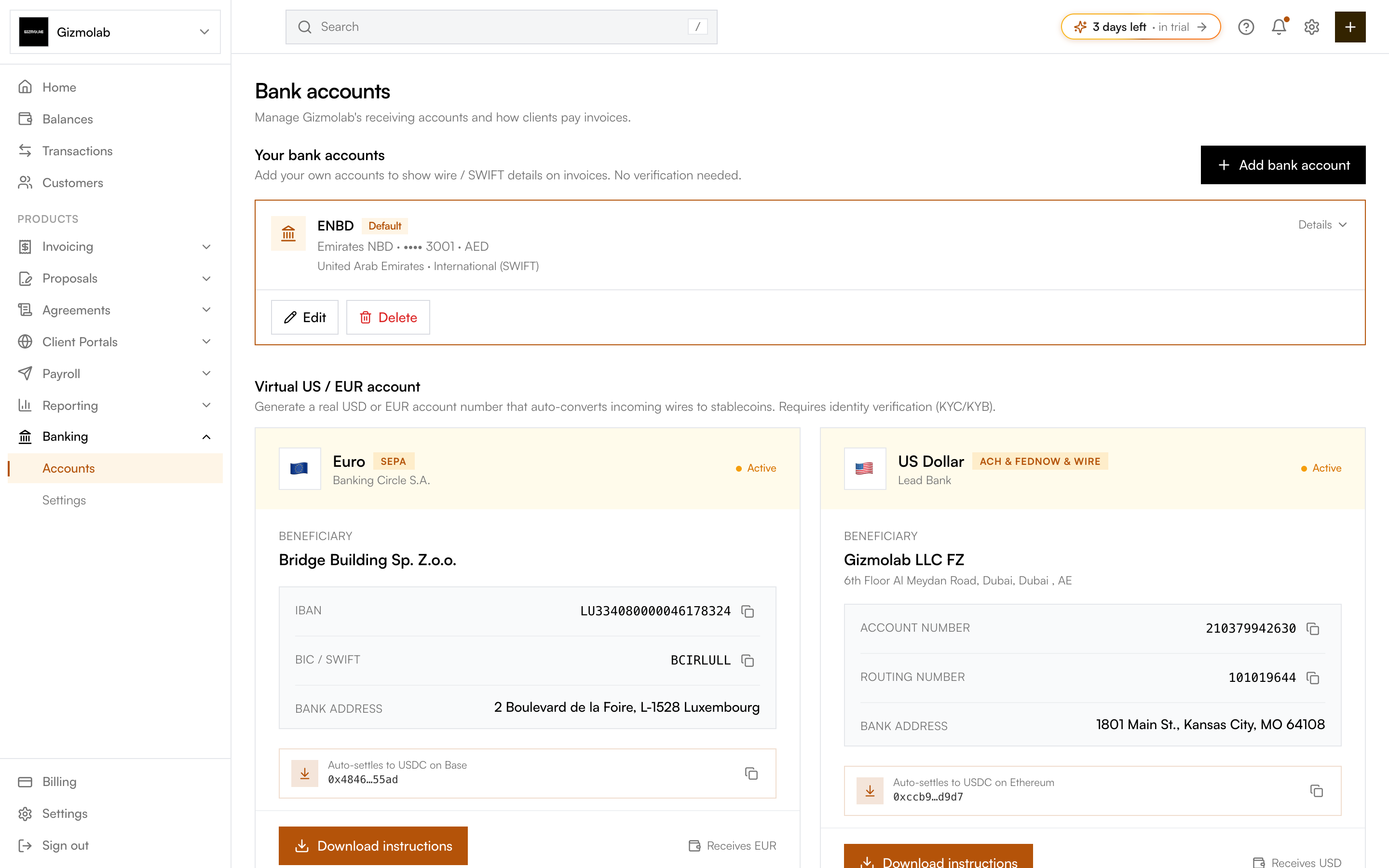
- 1Bank accounts area
- 2Add bank account
- 3Your local accounts
- 4Default for invoices
- 5Virtual US or EUR account
- 6Download payer instructions
Sections#
Your bank accounts#
Local accounts you add yourself, with no KYC. Their wire / SWIFT details are shown to payers on invoices. Hanko picks a template from the country you choose:
- United States — Bank name, routing number (ABA, 9 digits), account number, account type.
- Eurozone (SEPA / IBAN) — Bank name, IBAN, BIC / SWIFT.
- United Kingdom (Faster Payments) — Bank name, sort code (6 digits), account number (8 digits); optional IBAN/BIC for international wires.
- International (SWIFT) — Bank name, SWIFT/BIC, and either an IBAN or account number, plus optional bank address.
Each account requires a label and account holder name. Mark one as the default to show it on invoices automatically; you can override it per invoice.
Virtual US / EUR account#
A real USD or EUR account number that auto-converts incoming wires to stablecoins. This requires Bridge identity verification (KYC/KYB). When fiat is enabled, your live virtual accounts appear here with their bank details and the chain they settle to; otherwise you get a prompt to set up fiat. See Flex Routes.
Off-ramp destinations#
Verified bank accounts you can cash crypto out to as USD or EUR. This section only appears when fiat is enabled, and is used by Cashout.
Adding an account#
Only org owners and admins can add or edit accounts.
The country selects the template and the exact identifier fields you need to fill.
Fill the label, holder name, and identifiers. Validation checks the country’s format before saving.
Tip
The older Settings → Bank accounts link redirects here, so existing bookmarks keep working.