Fiat Payments#
Fiat Payments connect your organization to Bridge.xyz so you can accept fiat on invoices, pay vendors in fiat, and withdraw your balance to a bank account. Set it up under Settings → Fiat.
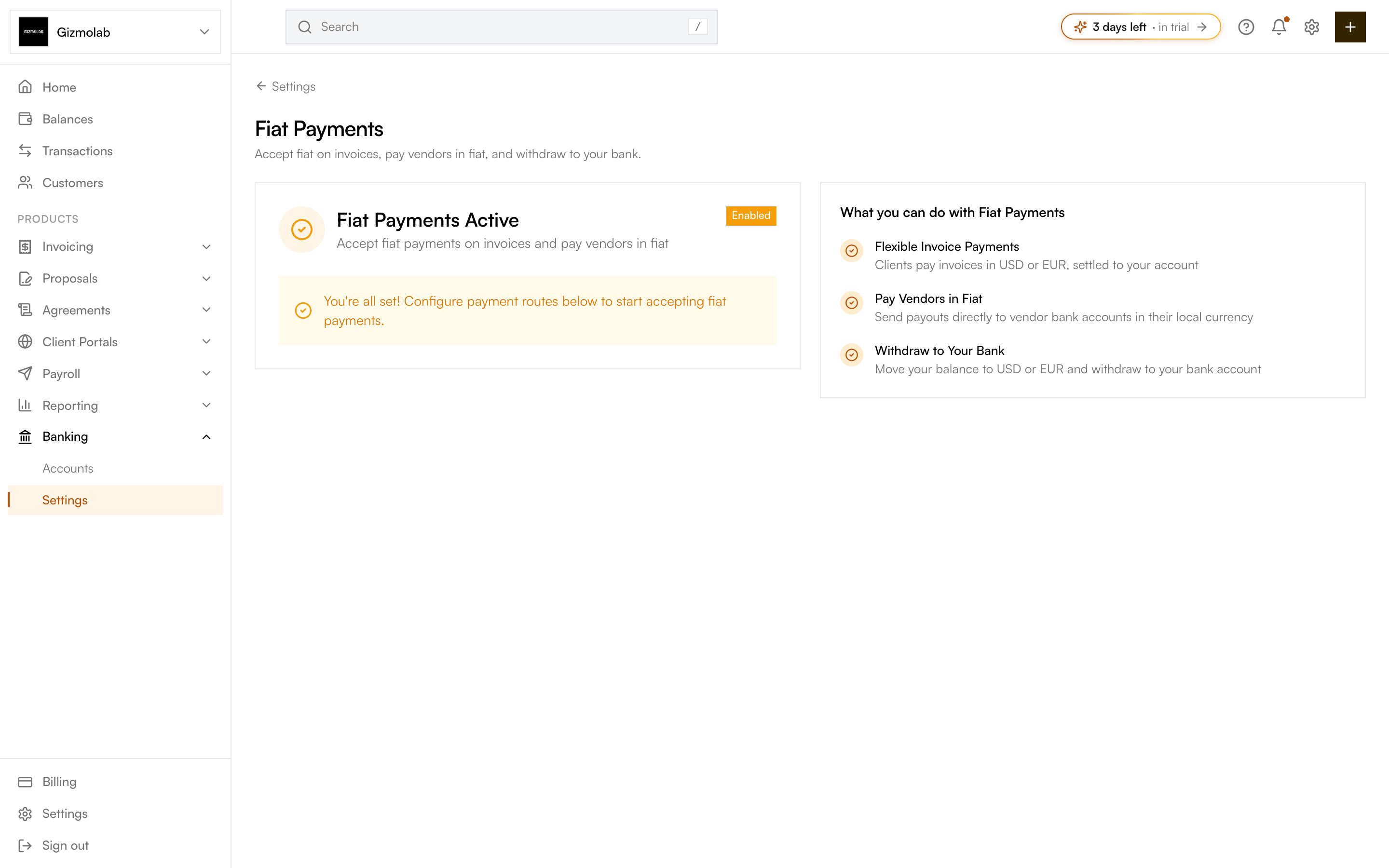
- 1Your fiat verification status
- 2Enabled once verified
- 3Next step configure payment routes
- 4What fiat unlocks
What fiat unlocks#
- Flexible invoice payments — Clients pay invoices in USD or EUR, settled to your account.
- Pay vendors in fiat — Send payouts directly to vendor bank accounts in their local currency.
- Withdraw to your bank — Move your balance to USD or EUR and withdraw to your bank account.
Verification (KYC / KYB)#
Before you can accept fiat, your organization must complete identity verification with Bridge. The type depends on your account type: Business accounts complete KYB (business verification), Individual accounts complete KYC.
On Settings → Fiat, begin verification. You are taken to Bridge to complete identity or business checks.
Once Bridge approves you, the page shows Fiat Payments Active and an Enabled badge.
After verification, set up your payment routes and bank accounts so clients can pay you in fiat.
Note
Fiat Virtual Accounts is a Pro feature. If your plan does not include it, you will see an upgrade prompt over this page.
Tip
If you only want to accept crypto, you can skip fiat verification and use your treasury wallets instead.