Managing Invoices#
The Invoices list is where you track everything you've billed. Filter by status, search, and jump into any invoice to act on it.
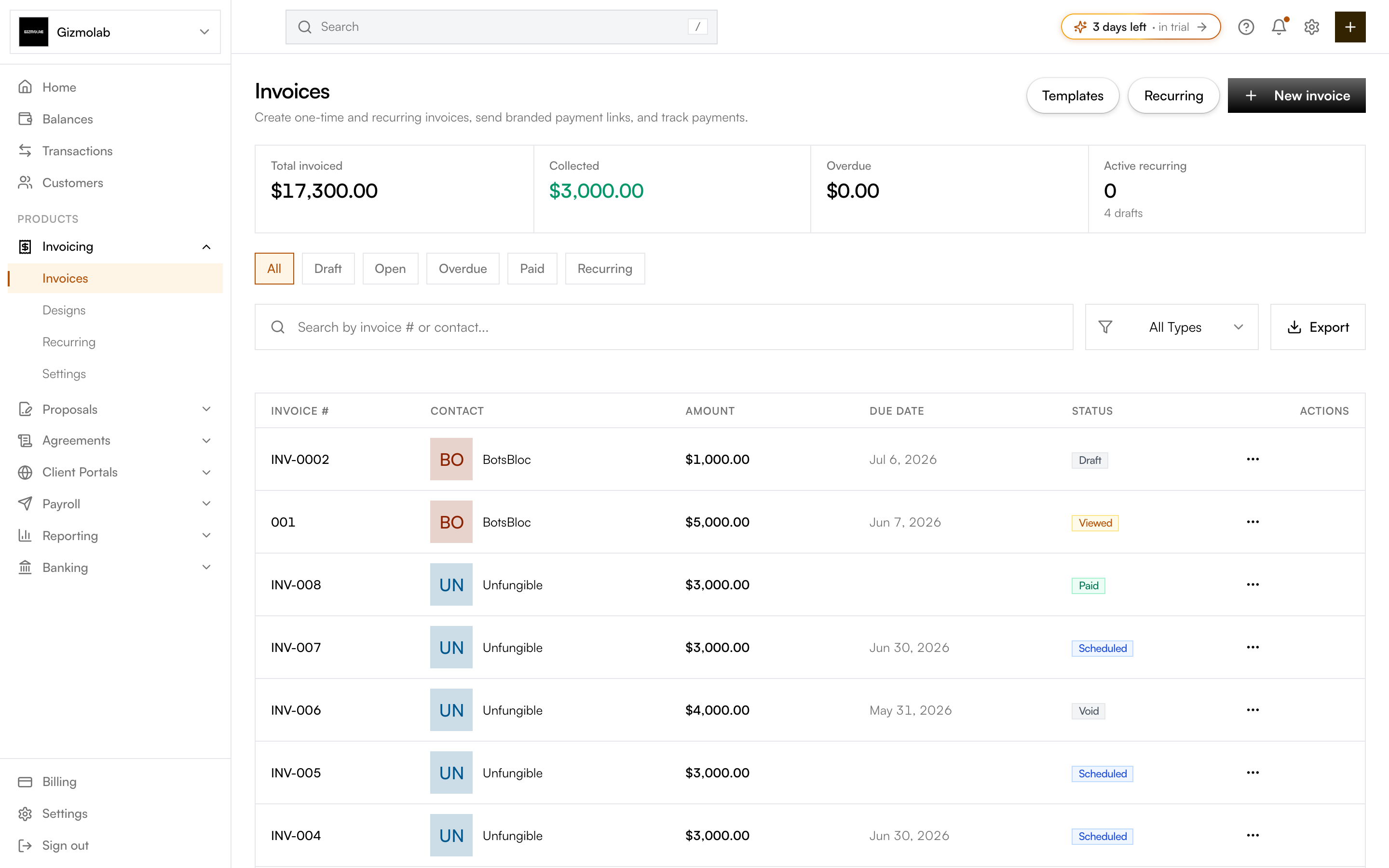
- 1Create a new invoice
- 2Invoice totals summary
- 3Filter by status
- 4Quick actions per invoice
The list#
- Summary tiles — Total invoiced, collected, overdue, and active recurring (with draft count).
- Status tabs — All, Draft, Open, Overdue, Paid, plus Recurring (which opens recurring schedules).
- Search and filter — Find invoices by number or contact, filter by exact status, and Export to CSV.
- Quick actions — The actions menu on each row lets you act without opening the invoice.
Each row shows the invoice number, contact, amount (with the balance due when partly paid), due date, and status.
Invoice statuses#
- Draft — Not finalized. You can edit and delete it.
- Open / Sent / Viewed — Finalized and awaiting payment; "Viewed" means the customer opened the hosted page.
- Partially paid — Some payment recorded; a balance remains.
- Paid — Fully paid.
- Past due / Overdue — Unpaid past the due date.
- Void — Marked no longer valid (permanent).
Note
You can delete only draft invoices that have never been sent. After an invoice is finalized or emailed it's kept for record-keeping — void it instead.
Acting on an invoice#
Open any invoice to finalize, send, download the PDF, duplicate it, record a payment, mark it paid, send a reminder, or void it. See Sending invoices for the send flow.