Feature Access#
Every plan unlocks a set of features. Each feature has a minimum plan — your org gets a feature once your plan meets or exceeds it. Plans build on each other: Pro includes everything in Starter, and Enterprise includes everything in Pro.
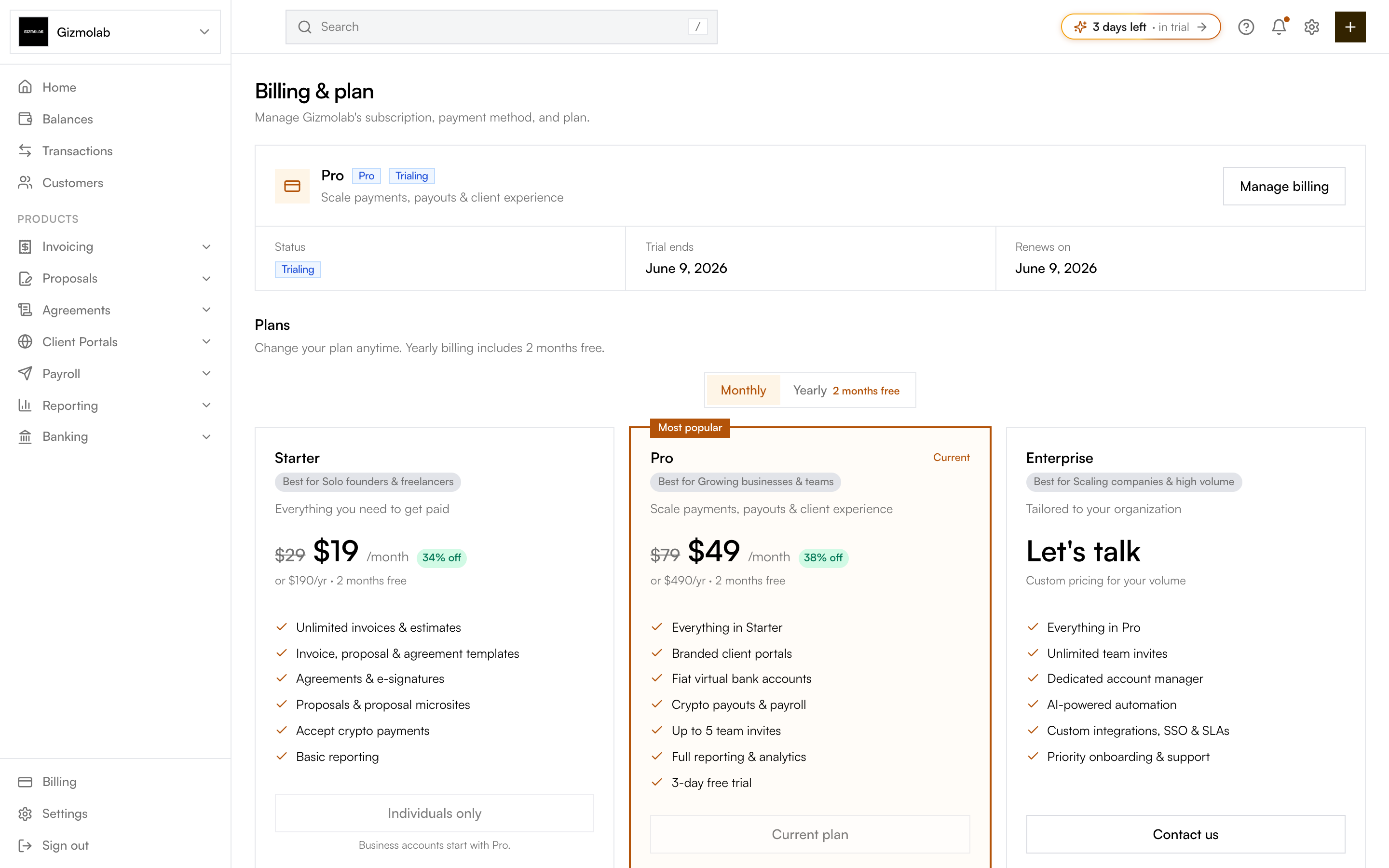
- 1Starter unlocks invoices and proposals
- 2Pro adds portals payouts and teams
- 3Enterprise adds AI and SSO
- 4Your active plan is marked Current
- 5Crypto payments on every plan
What each plan unlocks#
Starter ($19)#
- Invoicing — create, send, and track invoices.
- Proposals — create and send client proposals.
- Agreements — agreements and e-signatures.
- Payment schedules — milestone and recurring payment automation.
- Crypto payments — accept crypto on invoices (every plan).
- Basic reporting — core revenue and invoice overview.
- Custom branding — your logo and colors on client-facing pages.
Pro ($49)#
Everything in Starter, plus:
- Client portals — branded client-facing portals.
- Fiat virtual accounts — virtual bank accounts that receive fiat (auto-converted to crypto).
- Crypto payouts — batch payouts and payroll.
- Full reporting — advanced reporting, analytics, and projections.
- Revenue analytics — revenue reporting and projections.
- Custom domain — serve portals and proposals on your own domain.
- Team members — invite teammates and manage roles.
Enterprise#
Everything in Pro, plus:
- AI automation — AI-powered automation and assistance.
- AI proposal builder — generate branded proposal microsites with AI.
When a feature is above your plan#
Feature gating is on. If you try to use something your plan does not include:
- The page still renders, but the gated action is locked behind an upgrade prompt.
- An org with no active plan can access nothing — the app is preview-only until you pick a plan.
- The prompt names the lowest plan that unlocks the feature (for example, "Upgrade to Pro").
Tip
To unlock a locked feature, open Settings → Billing & plan and move to a plan that includes it. See Billing & Plans.