Reports Overview#
Reports gives you exportable views of your org's financial activity. The top of the page shows summary totals — Total Invoiced, Total Collected, Outstanding, and Payables — followed by cards for each detailed report.
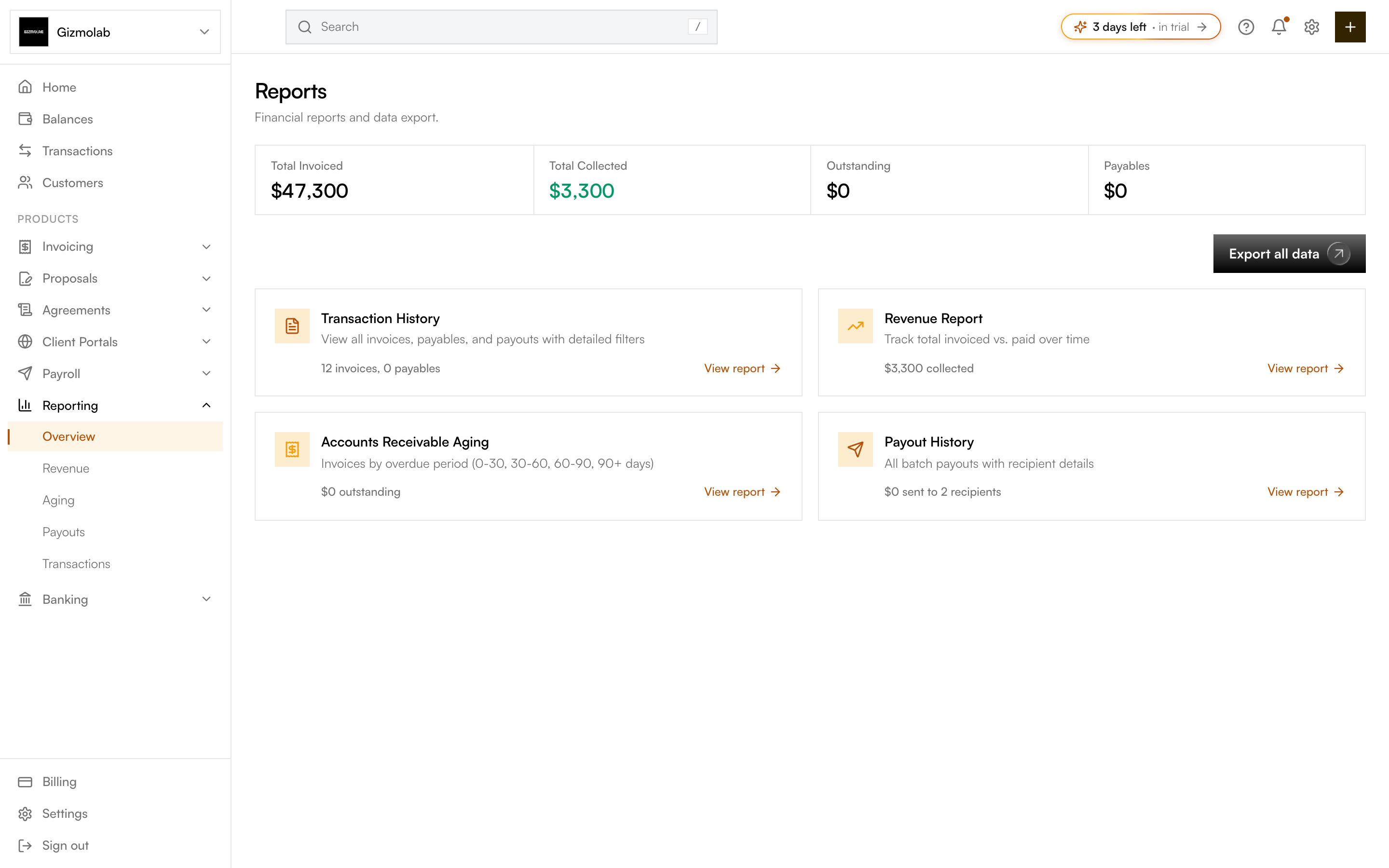
- 1Top level financial totals
- 2Export everything to CSV
- 3All invoices payables and payouts
- 4Invoiced versus collected over time
- 5Receivables by overdue period
- 6Batch payout records
Report types#
- Transaction History — every invoice, payable, and payout with detailed filters. Use it for reconciliation and accounting.
- Revenue Report — total invoiced versus paid over time, with a monthly breakdown and collection rate. See Exporting.
- Accounts Receivable Aging — outstanding invoices grouped by overdue period (0–30, 30–60, 60–90, 90+ days). Use it to follow up on late payers.
- Payout History — all batch payouts with totals, status, and recipient details. Use it for payroll and vendor records.
Using reports#
- Open a report from a card on the Reports page, or from Reporting in the sidebar (Overview, Revenue, Aging, Payouts, Transactions).
- Use Export all data at the top to download everything at once, or export an individual report from its own page.
Note
Full reporting is a Pro feature. The summary totals are always visible; the detailed report cards unlock on Pro. See Feature Access.