Designs#
Hanko ships with a gallery of invoice designs. The design you choose styles both the hosted invoice page and the PDF. Open it from Invoicing → Designs.
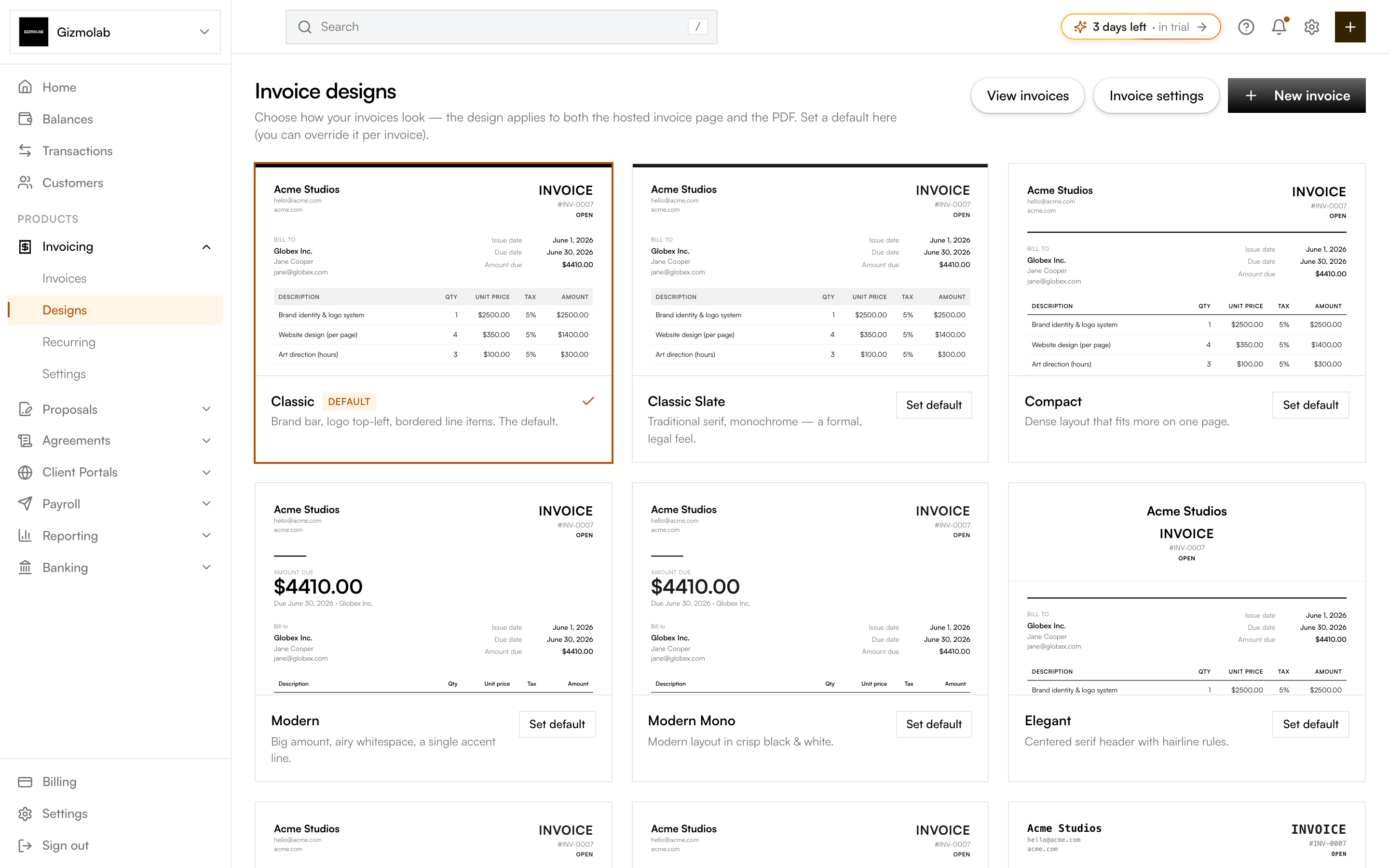
- 1Live preview of each design
- 2Current default marked here
- 3Set default on any design
- 4Open invoice settings
Setting a default#
Each card shows a live preview rendered with your brand color. Your current default is marked Default. To change it, hover any other design and click Set default. New invoices use this design unless you override it.
Note
Only org admins can change the default design.
Per-invoice override#
When creating an invoice, the Invoice design picker lets you choose a design just for that invoice, or keep Default to use the org default. The choice you make there overrides the org default for that one invoice.
Design snapshot#
When an invoice is finalized, its design is snapshotted onto the invoice. Changing your org default later won't restyle invoices that were already finalized — they keep the look they were sent with.
The gallery#
There are 15 designs across several layout styles (classic, modern, minimal, bold, banner, sidebar) with serif, sans, and mono variants. Classic is the default and reproduces the standard Hanko look. Pick the one that best matches your brand — your brand color and logo are applied automatically from Invoice settings.