Sending Invoices#
Send an invoice by email, share its hosted payment link, and track activity — all from the invoice detail page.
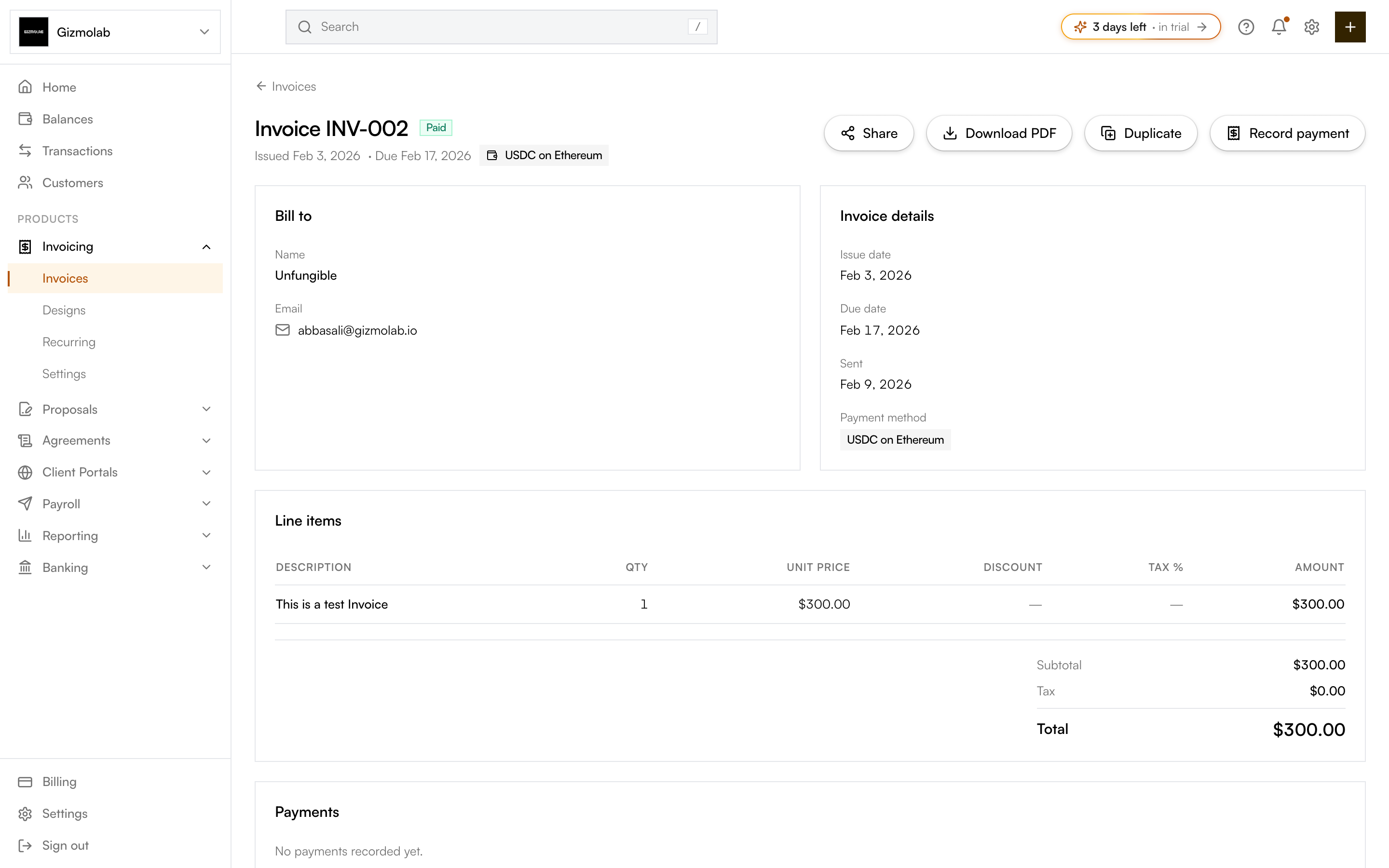
- 1Share the hosted link
- 2Record a payment
- 3Customer being billed
- 4Dates and payment method
Finalize and email#
A draft must be finalized before it can be paid. Finalizing locks the invoice, snapshots its branding and design, and creates the secure hosted page.
- From the builder, Finalize & send does this and emails the customer in one step.
- On a draft's detail page, use Finalize, then Send by email.
The customer receives an email with the invoice and a link to the hosted page. The first email send happens once — after that, the action becomes Send reminder so the original invoice is never re-sent.
Note
Send by email is only available when the contact has an email address. Add one to the contact if the button shows "No email address".
Share a hosted link#
Use Share to Copy hosted link or Open hosted page. The page is public (no login) and shows the invoice plus every payment option you offered. You can also Download PDF to send the invoice yourself.
Follow up and record payments#
- Send reminder — Nudge the customer once the invoice has been sent.
- Record payment — Log a payment (amount, method, and reference) — useful for bank transfers paid outside Hanko.
- Mark as paid — Settle the full balance in one click.
- Duplicate — Copy the invoice as a new draft.
The detail page also tracks payments, scheduled reminders, and an activity timeline (created, finalized, sent, viewed, paid).
Tip
Contacts with client portal access can see and pay every invoice you've sent them in one place.