Overview#
Hanko is a crypto-native finance platform for getting paid and paying out. Send branded invoices and proposals, sign agreements, run payroll, accept fiat or crypto, cash out to a bank, and track it all from one dashboard.
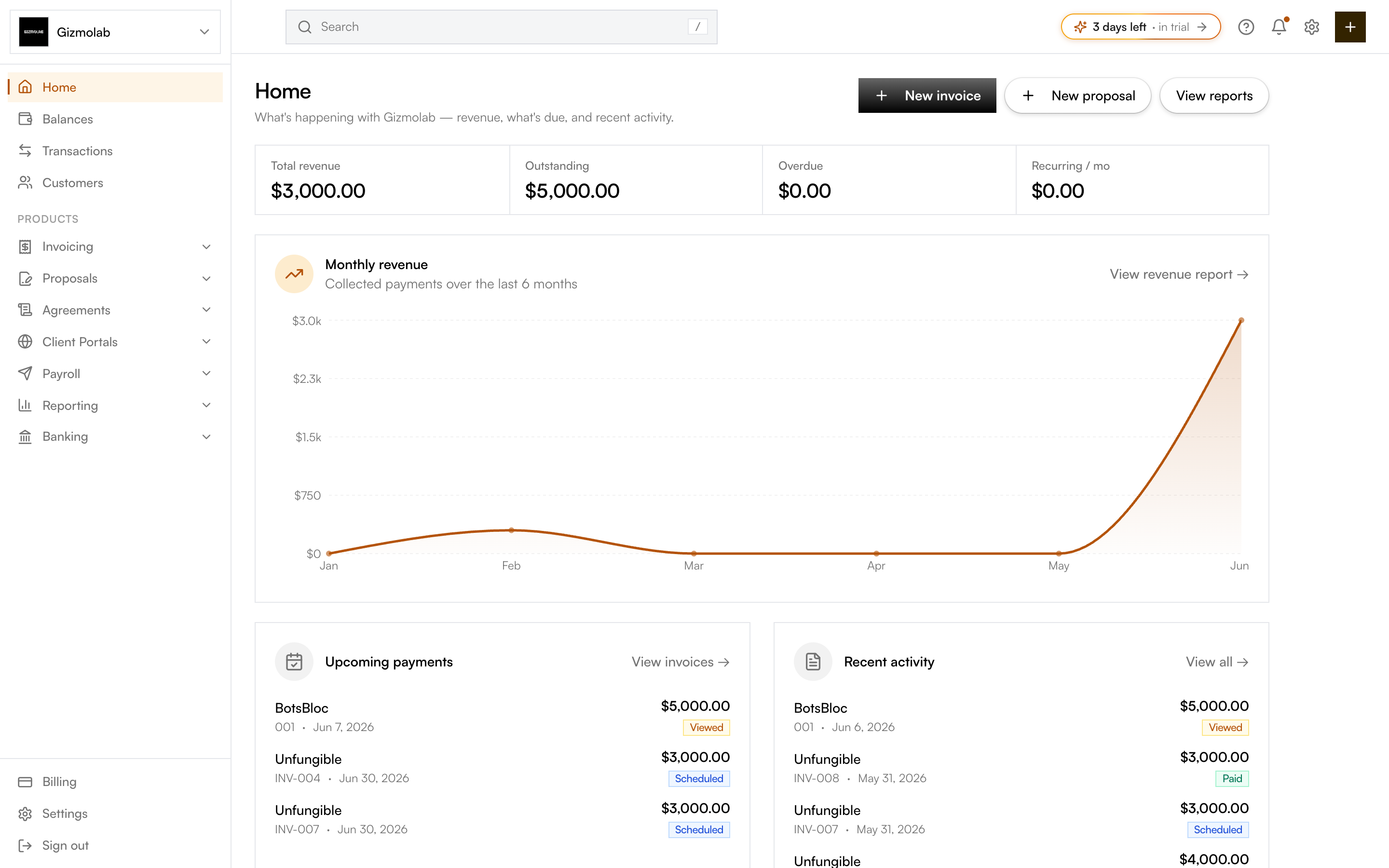
- 1All product areas in the sidebar
- 2Invoicing payments and designs
- 3Quick create invoice or proposal
- 4Financial overview at a glance
- 5Banking balances and accounts
What you can do#
- Invoicing — Create and send invoices with selectable designs, recurring schedules, and multiple payment methods on a single invoice (several chains, banks, and routes at once).
- Proposals & microsites — Send client proposals and publish AI-generated, branded proposal microsites on a custom domain.
- Agreements & e-signing — DocuSign-style agreements with drag-and-drop fields, multiple signers, a signing ceremony, and a flattened PDF plus audit trail. Reusable templates included.
- Client portals — Branded, per-client portals with a welcome message, files, onboarding steps, and fillable intake forms.
- Payroll & payouts — Batch crypto payouts with CSV import, drafts, and reusable templates for recurring salaries.
- Payments & off-ramp — Accept fiat and crypto via Flex Routes (Bridge.xyz), then cash out crypto to a bank account.
- Banking — View balances, manage bank accounts (US / EUR / UK / SWIFT) and virtual accounts, and cards.
- Reports — Revenue, aging, transactions, and payout reports with CSV export. See Reports.
- Billing & plans — Per-org Stripe subscriptions (Starter, Pro, Enterprise) that govern feature access. See Billing & Plans.
- Settings — Configure the organization, team and roles, invoice settings, fiat (Bridge), notifications, and branding.
Key concepts#
- Organization — Your company or entity. You can have multiple orgs; each has its own invoices, contacts, payouts, billing, and settings.
- Flex Routes — Pre-configured payment routes (virtual accounts for fiat, liquidation addresses for crypto) that let customers pay how they prefer while you receive crypto.
- Plans — Billing is per organization. Most features are gated by plan; an org needs an active plan to create and send.
Get started by creating an account and sending your first invoice.