Bank Accounts#
Hanko’s Bank accounts area is where you manage how clients pay you and where you withdraw to. It now lives under Banking → Bank accounts — the old Settings → Bank accounts link redirects there.
Note
This page mirrors Banking → Bank accounts. Use whichever entry point you find first; they are the same screen.
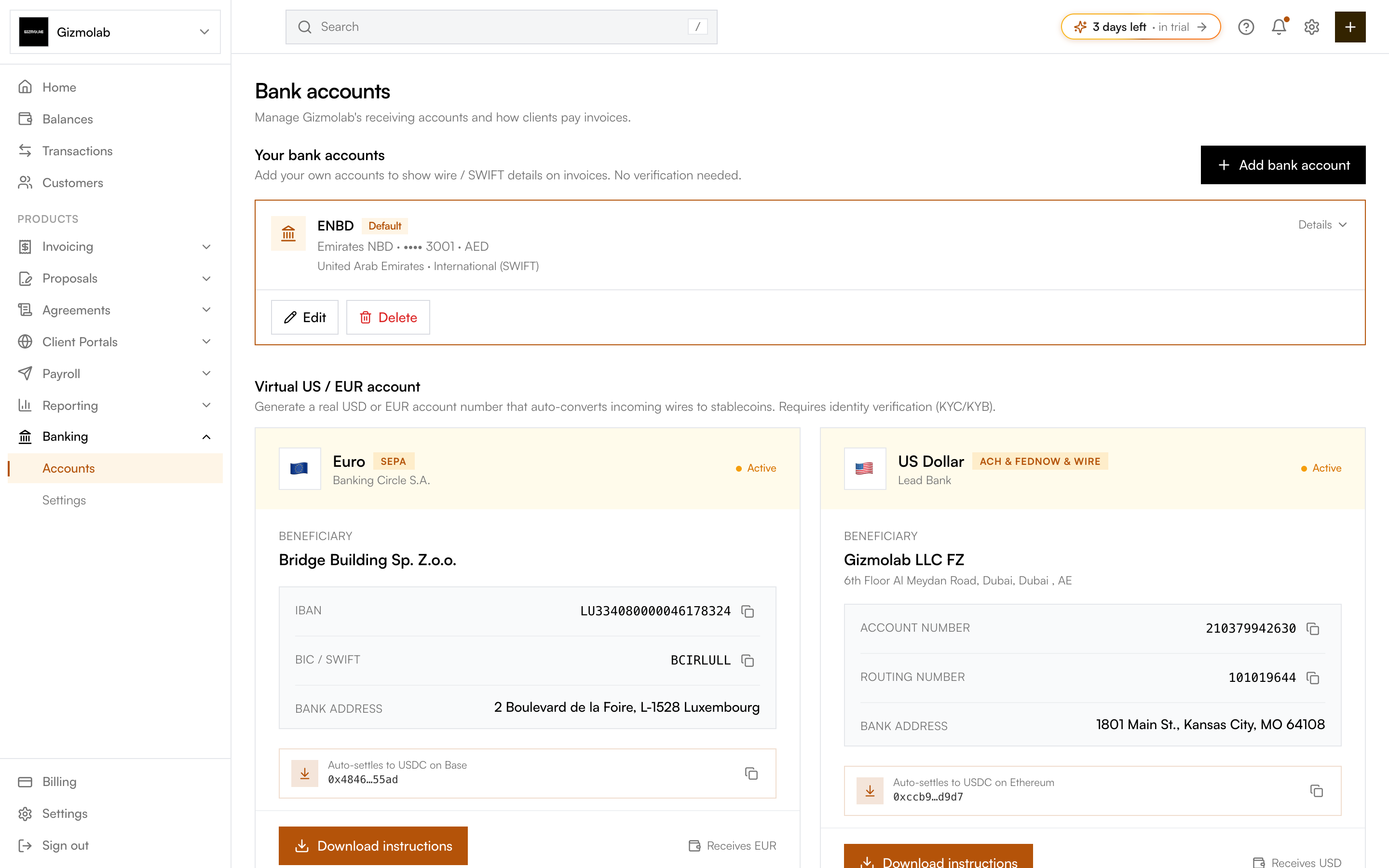
- 1Bank accounts area
- 2Add a bank account
- 3Your local accounts
- 4Default for invoices
- 5Virtual US or EUR account
- 6Download payer instructions
Three kinds of accounts#
- Your bank accounts — Local accounts you add yourself (country-aware US, Eurozone IBAN, UK, or SWIFT). No verification needed; their wire / SWIFT details are shown to payers on invoices.
- Virtual US / EUR account — A real USD or EUR account number that auto-converts incoming wires to stablecoins. Requires Bridge verification (KYC/KYB). See Flex Routes.
- Off-ramp destinations — Verified bank accounts you can cash crypto out to as USD or EUR. Only shown when fiat is enabled.
Adding your own bank account#
Click Add bank account. Pick the country — Hanko selects the right template (US ACH/wire, Eurozone SEPA/IBAN, UK Faster Payments, or International SWIFT) and asks only for the fields that template needs.
Enter a label, account holder name, and the template’s identifiers — for example routing + account number (US), IBAN + BIC (Eurozone), sort code + account number (UK), or SWIFT/BIC plus IBAN or account number (International). Validation matches the country’s format (e.g. 9-digit US routing, 6-digit UK sort code).
Mark one account as the default. The default shows on invoices automatically, and you can override it per invoice when creating one.
Virtual accounts and off-ramp destinations#
If you enable fiat, customers send fiat to your virtual account details; Bridge converts and settles crypto to your wallet. Your off-ramp destinations are the verified accounts you withdraw to when you cash out.
Tip
Local bank accounts are for receiving invoice payments by transfer. Off-ramp destinations are for sending fiat to yourself after a cashout — they are managed separately and only appear when fiat is on.