Dashboard Overview#
Home is your org's dashboard. It surfaces the headline numbers, what needs attention, and quick links into the rest of the app.
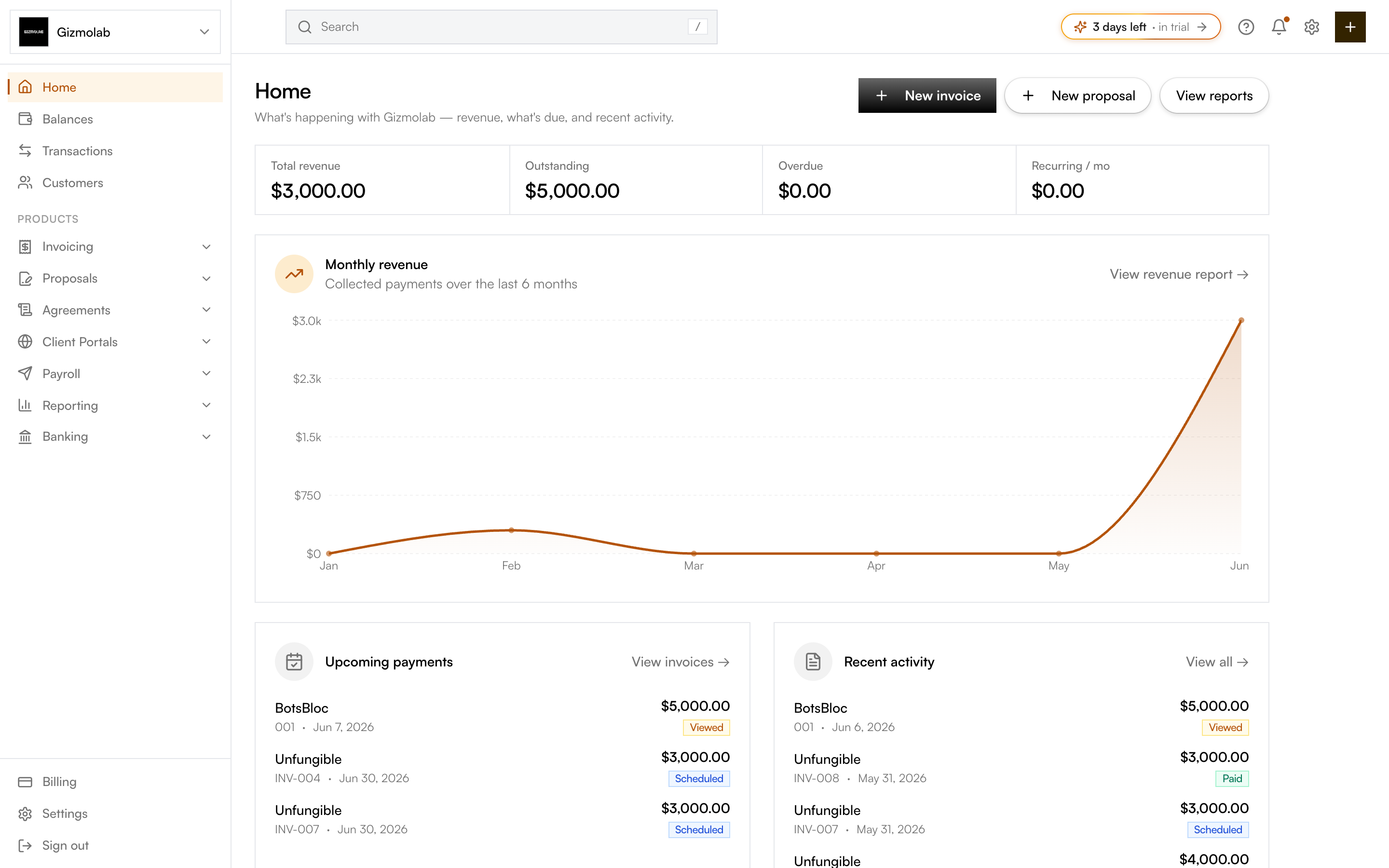
- 1Create an invoice or proposal
- 2Revenue outstanding overdue recurring
- 3Collected payments last six months
- 4Invoices awaiting payment
- 5Latest invoice activity
- 6Jump to any product area
Quick actions#
The header has New invoice, New proposal, and View reports so you can start work without leaving Home.
KPI tiles#
Four tiles summarize the org:
- Total revenue — collected to date.
- Outstanding — sent invoices not yet paid.
- Overdue — past-due exposure. When this is above zero, a red banner links straight to the aging report.
- Recurring / mo — recurring monthly invoice value.
Monthly revenue#
A chart of collected payments over the last 6 months, with a link to the full Revenue report.
Upcoming payments and recent activity#
Two panels below the chart:
- Upcoming payments — the next invoices awaiting payment, each with contact, number, due date, amount, and status. Links to Invoices.
- Recent activity — the five latest live (non-draft) invoices. Links to the Transactions report.
Tip
Use the sidebar to move between product areas — Invoicing, Proposals, Agreements, Client Portals, Payroll, Reporting, and Banking.