Cashout#
Cashout converts USDC into fiat and sends it to a beneficiary bank account. You pick a source wallet, a beneficiary, a network, and an amount; Hanko gives you an on-chain deposit address to fund the transfer.
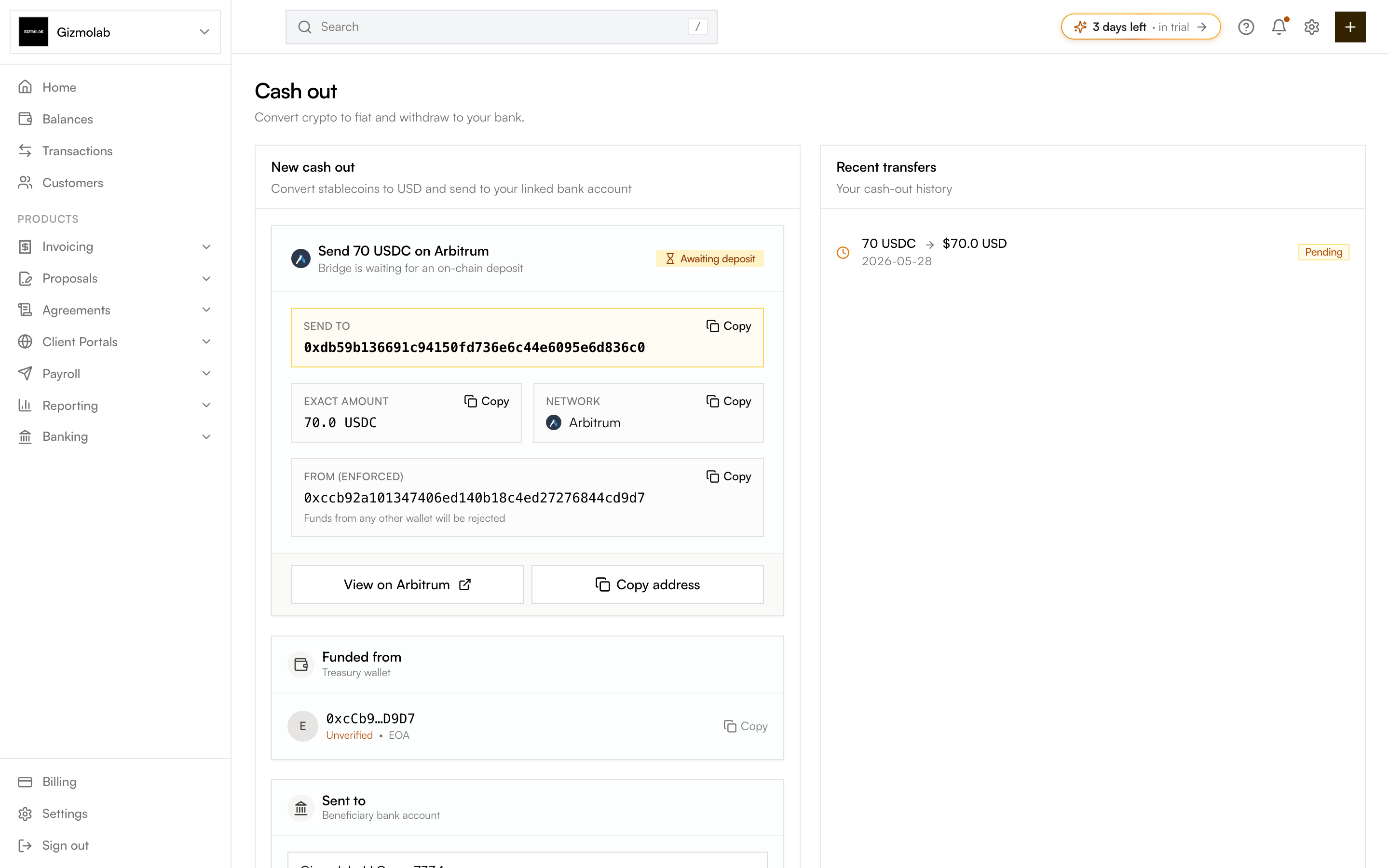
- 1Cash out page
- 2Start a new cash out
- 3Awaiting your deposit
- 4Exact deposit address
- 5Funded from treasury wallet
- 6Recent transfers
Prerequisites#
- Fiat enabled for your org (Bridge verification approved). If fiat is off, the page redirects you to Fiat settings.
- At least one beneficiary bank account — US (wire/ACH) or SEPA/IBAN. You can add one inline.
- An EVM treasury wallet with enough USDC on the chosen network.
How to cash out#
The Funded from card shows your EVM treasury wallet (EOA or Gnosis Safe) and whether it is verified. This is where the USDC comes from.
Choose the beneficiary bank account. The available rail follows the account type — US accounts offer ACH (1–2 business days, lowest fee) or Wire (same-day, higher fee); IBAN accounts use SEPA (1 business day, EUR). Add a new beneficiary with Add new beneficiary if needed.
Select the network (Base, Ethereum, Arbitrum, or Optimism) — each row shows your USDC balance there. Enter the amount or tap Max. You will see an estimated bank amount; a 0.5% processing fee applies. The minimum is 1 USDC.
Click Initiate. Hanko shows the exact deposit address, amount, and network. Send the USDC from your treasury wallet to that address — funds from any other wallet are rejected. Bridge then converts and pays out to your bank.
Timing and history#
- Cash-outs typically take 1–2 business days to reach your bank, depending on the rail and your bank’s schedule.
- The Recent transfers panel lists your latest cash-outs with their status (Pending, Processing, Completed, Failed).
Note
Cashout is an off-ramp. For on-ramp (customers paying you in fiat on invoices), use Flex Routes with virtual accounts.